

The word stutter covers too much. One player means a single hitch when a new effect appears. Another means a pulse every thirty seconds. Someone else has a 60 Hz desktop on a 180 Hz monitor and calls the uneven motion stutter. Those complaints may look similar for half a second, but I would not test them the same way.
This is the map I wanted when I started working on PixelLookout’s first performance experiment. It begins with the symptom, turns that symptom into a short list of hypotheses, and asks for one controlled test. It does not promise a magic setting.
How to read this guide: a symptom changes which cause I investigate first. It never proves the cause by itself.
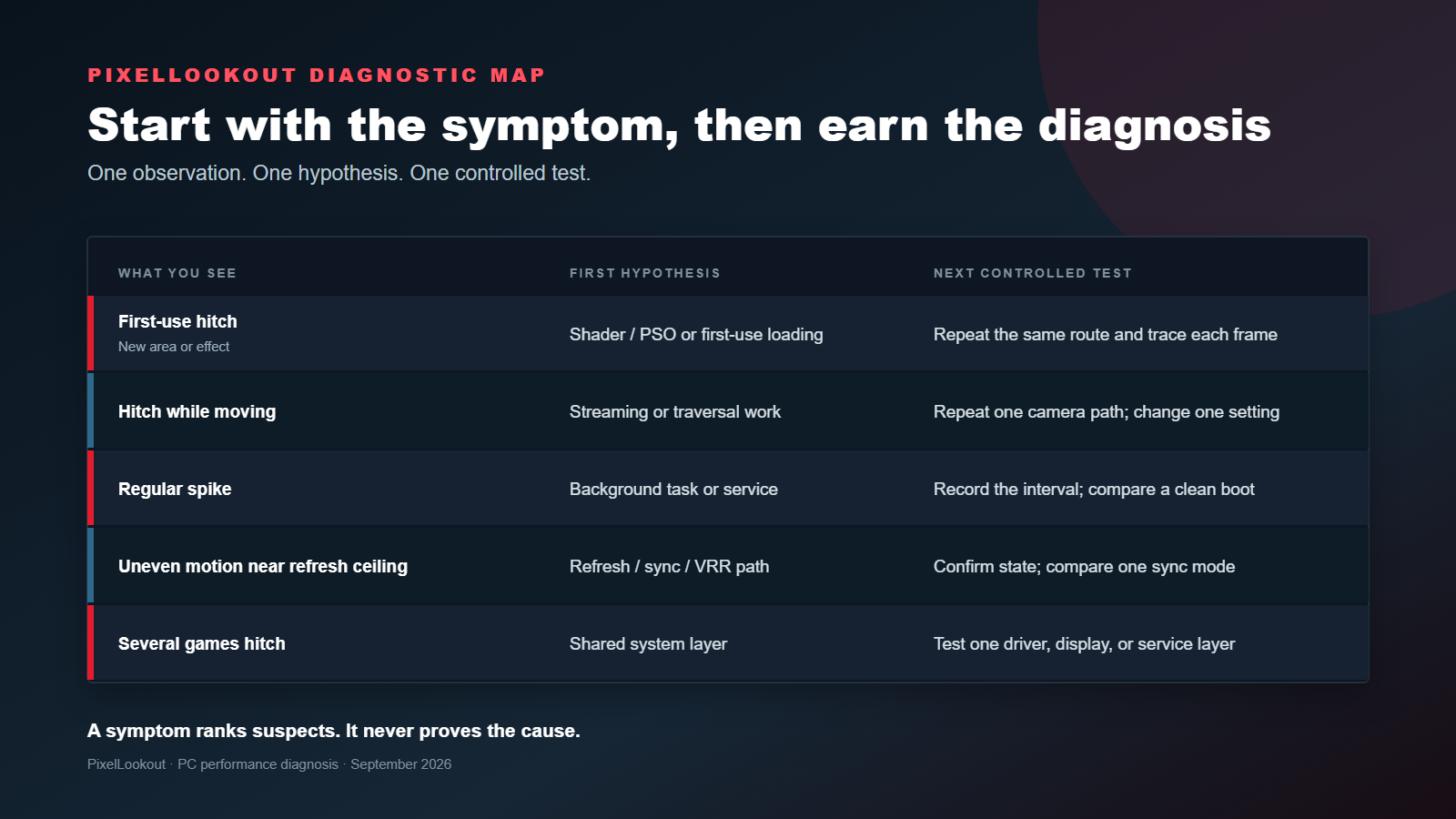
The symptom-to-test map
| What you see | My first hypothesis | The next test I would run |
|---|---|---|
| A hitch the first time you enter an area or see an effect | Shader or PSO compilation; first-use loading | Repeat the same route in the same session and compare the per-frame trace |
| Hitches while moving through the world | Asset streaming or traversal work | Repeat one camera path; change one streaming-related setting only if the game exposes it |
| A spike at a regular interval | A background task or service | Record the interval, then compare the route in a documented clean boot |
| Uneven motion near the display ceiling | Refresh, sync, cap, or VRR mismatch | Confirm the active refresh and VRR state; compare one supported sync mode at a time |
| Similar hitches across several games | A shared driver, Windows, display, or background condition | Test one shared layer while every game-side setting stays fixed |
The table ranks starting points. It cannot tell you that a first-use hitch definitely came from shader compilation or that a periodic spike definitely came from Windows. I want the trace to earn that conclusion.
First-use hitches
Epic’s Unreal Engine engineering article explains how runtime shader and PSO compilation can hold up a frame. It also describes other traversal work, including loading, spawning, streaming, and scene captures. That second part matters. “It happened in a new area” narrows the search, but it does not name the culprit.
I would run the same route again without changing a setting. If the hitch disappears, I have a useful pattern, not a final diagnosis. A driver update can clear cached shader work, and later sessions can behave differently. I record the game build, driver, route, and whether the run followed a driver change before I compare anything.
Hitches during movement
Movement makes streaming and traversal plausible, especially when the problem follows the same camera turn or boundary. I still resist the urge to lower five settings at once. If the game exposes a texture or streaming control, I change that one control, repeat the same path, and watch the per-frame trace.
A lower setting that removes a hitch does not automatically prove “not enough VRAM.” It tells me the changed workload affected the symptom. I need memory telemetry and repeated behavior before I go further.
Regular, repeating spikes
A regular interval sends me looking for a regular task. Task Manager can reveal obvious CPU, memory, or disk activity, but a quick glance may miss a short event. Microsoft’s clean-boot procedure gives me a controlled way to isolate non-Microsoft services and startup apps.
I use that procedure as a temporary comparison. Then I restore normal startup. A clean boot that changes the trace tells me to narrow the software conflict; it does not justify leaving half the machine disabled.
Motion that feels wrong near the refresh ceiling
Before I blame the engine, I open Windows Advanced display and confirm the active refresh rate. Microsoft’s refresh-rate guide also shows where Windows reports VRR capability and explains that Dynamic Refresh Rate can limit the maximum refresh rate in some games.
Refresh, V-Sync, frame caps, and VRR affect presentation in different ways. I compare one supported mode at a time. I do not call tearing, judder, and a long CPU frame the same problem simply because all three can look unpleasant.
When several games hitch
One game points me toward that game. Several games make shared layers more interesting. I verify the selected GPU on a multi-GPU system, the display path, the driver state, and background activity. Windows documents the per-app GPU preference, while NVIDIA documents how its Shader Cache Size can evict useful compiled shaders when the limit is too small.
Neither source supports a universal cache size or a ritual cache deletion. I check the setting and disk space. I do not wipe evidence away and call the resulting first run a fix.
Measure the thing you are trying to fix
Average FPS answers a throughput question. Stutter needs a per-frame view. PresentMon’s metric definitions distinguish frame time, displayed time, presented time, CPU and GPU work, and dropped frames. The right column depends on the presentation path and the question.
My minimum record for a useful comparison includes the raw frame data, exact route, capture window, game and driver versions, display mode, sync state, warm-up rule, run order, and every exclusion. I also decide the primary metric and the smallest effect I can detect before I see the result.
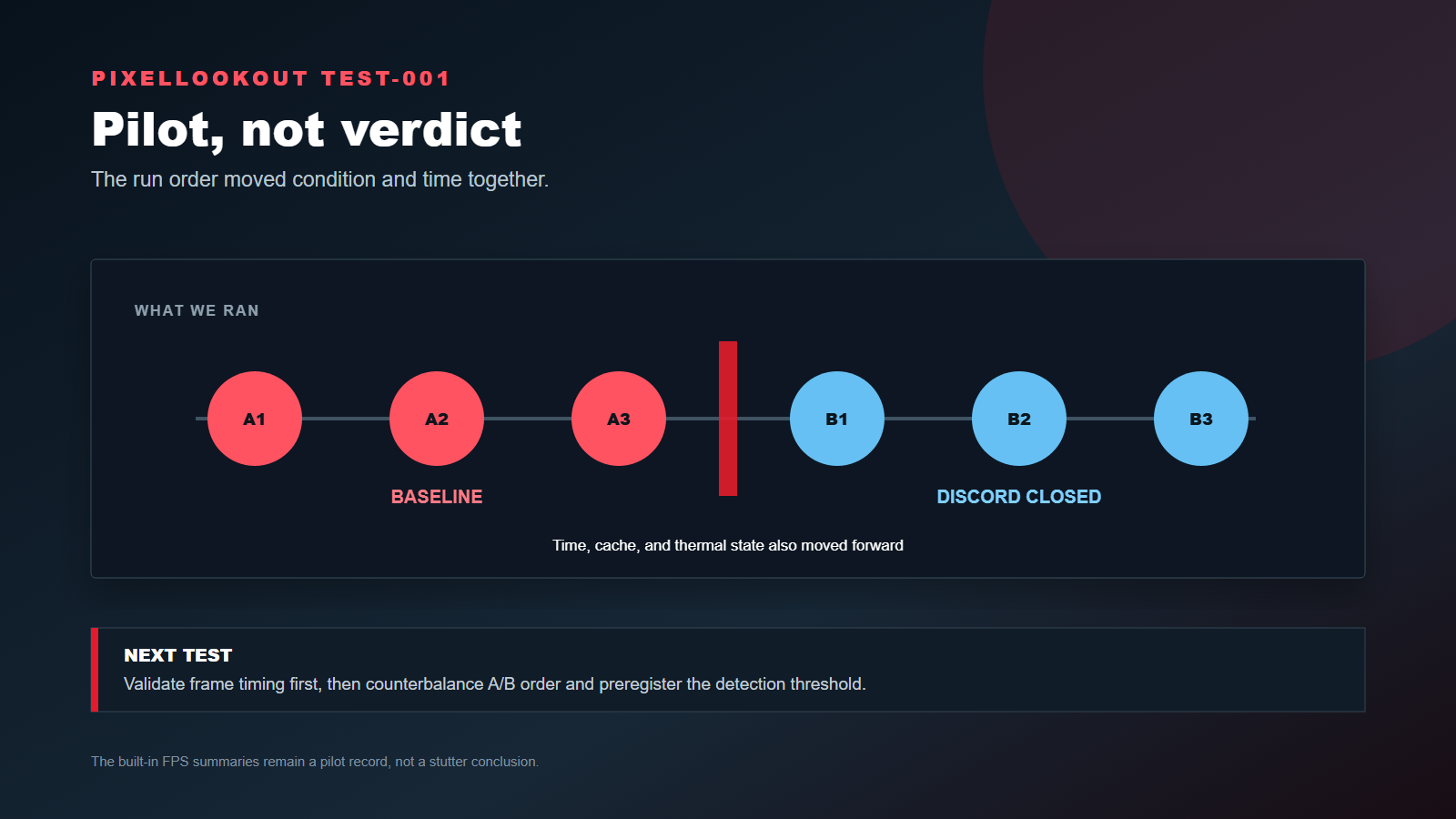
Our first Discord pilot did not meet that standard. We ran all baseline captures before all intervention captures, used rounded built-in metrics after the PresentMon stream failed validation, and never established whether the route exposed a CPU-side effect. I have separated that record into an exploratory test report instead of presenting it as proof about stutter.
My stopping rule
If the capture tool does not produce a trace I can interpret, I stop. If the route does not reproduce, I stop. If two variables changed, I repeat the comparison.
That can feel slow. It is still faster than publishing a confident fix for a problem I never measured.
Houcine B. set the editorial position and reviewed the source boundaries. AI-assisted tools helped organize the evidence and prepare the draft; Houcine retains final responsibility for the article.
- Match the test to the moment the hitch appears.
- Use per-frame timing for a stutter question, not a rounded FPS average alone.
- Change one variable and keep a rollback path.
- A symptom can rank hypotheses, but it cannot prove the cause.
Sources
How we work: Performance claims require reproducible test conditions, buying advice distinguishes hands-on testing from research, and prices carry a checked time.
Read our testing standards →